How I Built Shadow Clone, My Own Alternative to Higgsfield Genjutsu
Brands want the ad that already works, with their product in it. Here is how a depth map got us there in three days.
 Hrithwik BharadwajNov 18, 20265 min read
Every brand I talk to asks for the same thing, in different words: "There is this ad that is already working for another brand. Can we get that, but with our product?"
And every person who has played with an AI video model has tried the fun version of that: take a famous movie scene and put yourself in it.
Both of them hit the same wall.
The scene you are not allowed to make
Video models are very good now. But hand one a movie scene or a music video and say "same thing, but make it me", and most of the time it simply refuses. The model sees a famous face or a copyrighted frame and stops.
Even when it does not refuse, it gives you a new video that is only inspired by the old one. The timing changes. The camera moves differently. The one thing that made the original ad work, the exact movement, is gone.
For e-commerce this is the whole game. A brand does not want "a video like that one". It wants that exact video, the same walk, the same turn, the same cut, with its own model, its own product and its own background.
Then Higgsfield launched Genjutsu
Around the same time Higgsfield launched something called Genjutsu, and it went viral very quickly. People were dropping themselves into movie scenes that no model would touch a week earlier.
I had the same reaction I have to most things I like on the internet: how does this work, and can I build it?
So I sat down and reverse-engineered it. I tried inputs, looked at what came out, and guessed what had to be happening in between. Two or three days after their launch, we had our own version live on Sloosh. I called it Shadow Clone.
Motion Transfer · a movie scene
Inputs
Reference video
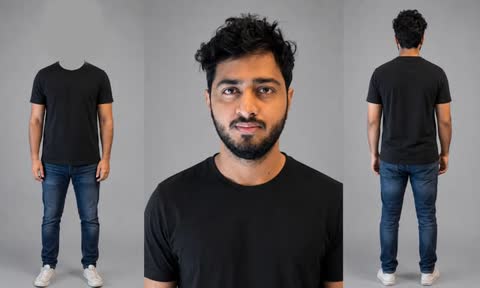
Image 1: me
Don't add any text on screen. Don't use the hat in the generation but use the same hairstyle in the model as @Image 1
Output
Shadow Clone output
The trick is a depth map
Here is the idea, and it is simpler than it looks.
A depth map is a grey version of a video where every pixel only says how far away it is. Near things are bright, far things are dark. There are no faces in it, no colours, no logos. Just moving grey shapes.
Think of it like a shadow puppet show. You cannot tell who is behind the curtain, but you can see every move they make.
So the pipeline does three things:
- Turn the reference video into a depth map. Now the model is not looking at a movie scene any more. It is looking at grey shapes moving, and that it is happy to follow.
- Understand your images. We look at what you uploaded, the person, the outfit, the product, the background, and describe them so the model knows what goes where.
- Mute the audio and ask the video model to draw a new video on top of that motion.
The movement comes from the reference. Everything you can see comes from you.
Motion Transfer · a new world
Inputs
Reference video
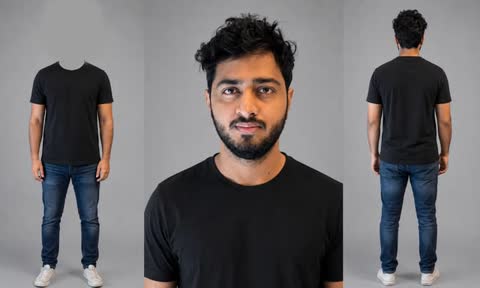
Image 1: me
Output
Shadow Clone output
And then the lips were off
The first version looked great, as long as nobody in the video opened their mouth.
We had muted the audio, remember? So when the original person was talking or singing, the model had no idea what was being said. It made the mouth move, but not to the words. When we put the original sound back on top, it looked like a badly dubbed film.
The obvious fix is to send the audio along too. That brought its own problem: music, crowd noise and effects all confuse the model about when someone is actually speaking.
What worked was cleaning the audio first. We reduce the background noise so mostly the voice is left, and send that to Seedance 2.5 together with the depth map. Now the model can hear the words, and the lips started landing where they should.
That one change took Shadow Clone from "cool demo" to something you can use for a talking ad.
What it does today
There are two modes, and one text box.
- Motion Transfer. Only the motion is kept. The character, the outfit and the whole scene are rebuilt from your images. This is the one for movie scenes, dance videos and music videos.
- Object Swap. Only the thing you pick is changed: the shoes, the product, a character. Everything else in the original video stays. This is the quickest way to put your product into an ad you already like.
- Additional Instructions. Plain words for everything else. "Keep the same hairstyle as Image 1." "Put it on a beach." You can point at your images with
@Image 1.
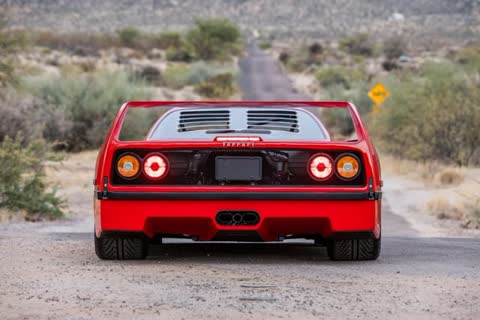
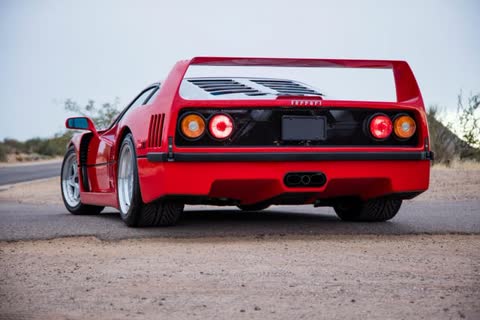
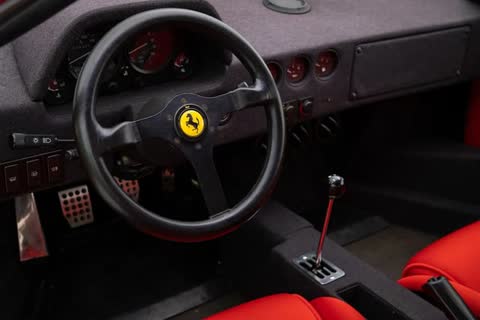
Here is the kind of thing a brand would actually do. One reference clip of a man walking up to a car, six photos of a different car, and a different person.
For a brand · same shot, your product
Inputs
Reference video
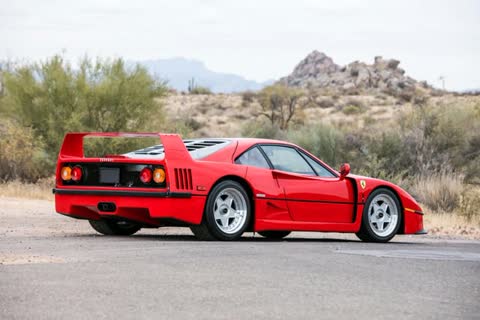
Product 1
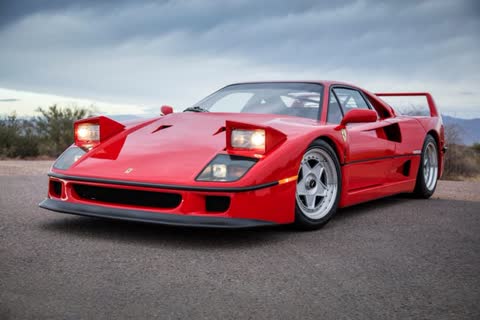
Product 2
Product 3
Product 4
Product 5

The person
Output
Shadow Clone output
And it works with more than one character, if you tell it who is who.
Two characters · a fight scene
Inputs
Reference video
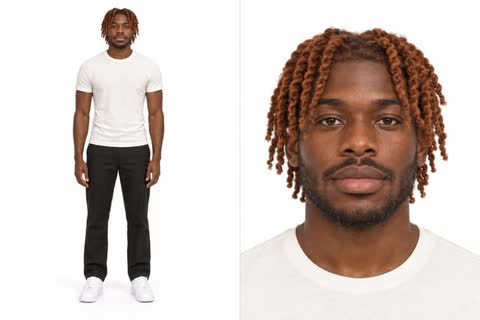
Image 1
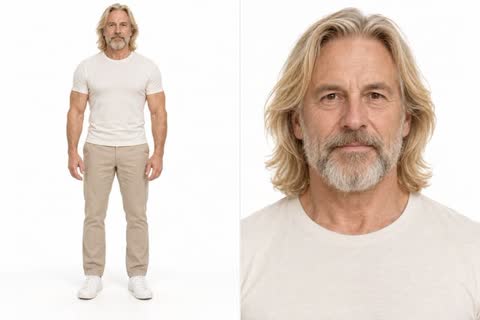
Image 2
Keep the person with the sword to be @Image 1 with the same exact hairstyle as in the image reference of @Image 1. Keep the other person who is fighting three-section staff to be @Image 2 with the same exact hairstyle in the reference image of @Image 2
Output
Shadow Clone output
Try it
The lesson I keep learning: when something goes viral and looks like magic, it is usually one clever input in front of a model everyone already has. Here it was a depth map.
Upload a clip of up to 30 seconds and a few images, and see yourself in it.
Shadow Clone is live on Sloosh.
Try Shadow Clone